One Live TV: IPTV Smarters Pro
- 0.0
- Rating
- 10.00K
- Installs
- Free
- Price
 Analysis by App-foxy
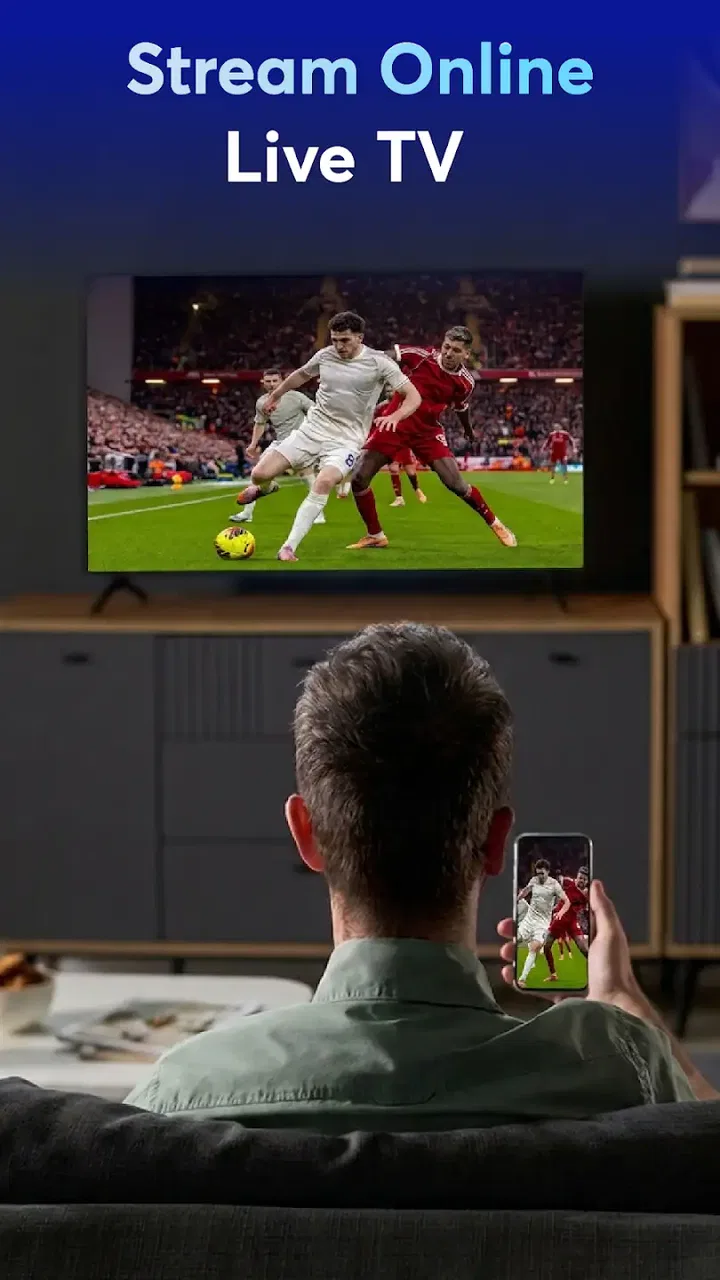
I approached One Live TV: IPTV Smarters Pro as a lightweight way to watch live television through IPTV rather than as a full entertainment platform with its own programming. That distinction matters. The app is a video player and editor utility from Theme Inc, and its purpose is to give you a place to access live channels and IPTV streams. If you already have a legitimate source for the channels you want to watch, the appeal is straightforward: one focused app instead of switching between several television services.
My overall impression is that it is best understood as a simple viewing tool for people who want live TV access on an Android device. It is free, carries an Everyone age rating, and has reached over ten thousand installs, so it is aimed at a broad audience rather than a specialist professional market. At the same time, its relatively focused identity means you should not expect the same depth, polish, or content ecosystem found in a major subscription television service.
How One Live TV fits into everyday viewing
The most useful way to think about this app is as a front door for IPTV viewing. Instead of treating it like a library of films and shows, I would use it when the main goal is to open live channels and keep a television stream playing. That makes it potentially handy on a phone, tablet, or compatible Android device when you are away from your usual television setup.
You May Also Like

 Pandora - Music & Podcasts
Pandora’s Music Is Easy to Start, but Harder to Recover
Pandora’s strength is its low-effort path from a seed to a station. Its weak spot is how much confidence it asks you to place in connection, setup, and quiet recovery.

 AccuWeather: Weather Radar
AccuWeather Review: A Quick, Clear Forecast for Everyday Decisions
For everyday plans, the best forecast is the one you can understand quickly. AccuWeather makes rain timing, radar, and local conditions easy to act on, with a few trade-offs.

 Hill Climb Racing
Why Hill Climb Racing Still Turns Crashes Into One More Run
A tiny car, a bumpy hill and one more upgrade: Hill Climb Racing keeps resurfacing because its simple chaos makes every near-miss feel personal.

 AliExpress - Shopping App
AliExpress Makes Global Shopping Feel Personal, but Shoppers Bear the Risk
AliExpress turns a global marketplace into a pocket-sized discovery engine. Its reach is useful, its shopping loop compelling, and its trade-offs easy to miss.

 Lords Mobile: Kingdom Wars
Lords Mobile Is a Kingdom-Building Routine, Not a Quick Match
A case-by-case verdict on the building, battles, device demands, and social commitments that make Lords Mobile rewarding for some players and exhausting for others.

 PDF Scanner app - TapScanner
TapScanner Makes Paperwork Easier to Capture, Check, and Share
TapScanner makes scanning with a phone feel less like a rescue operation and more like a dependable step in getting work done. Its capture tools are useful, though not flawless.
More From Our News Desk
View All News


A realistic example would be someone following a live news channel while preparing dinner, checking a sports broadcast during a commute, or watching a familiar local channel from a room without a television. In each case, the value is not in discovering a large catalog inside the app. The value is in having a dedicated player ready for a live stream.
The store summary presents it as a way to watch live TV, use IPTV streams, and access many channels. I read that as a promise of compatibility with an IPTV-centered viewing routine, not as a guarantee that every channel is automatically included. You should approach the app with your own lawful channel source in mind. An IPTV player can display a stream, but it does not replace the provider or grant access to channels that you have not obtained legitimately.
That is also why the app may suit two very different users. A casual viewer may appreciate a direct route to live television without installing a large, complicated service. A more experienced IPTV user may be interested in whether the player fits neatly into an existing setup. The first group should value simplicity; the second should pay closer attention to how comfortably the app handles their particular stream source.
The current state of the app
One Live TV: IPTV Smarters Pro is currently listed as version 1.0.1 and supports Android 7.0 or later. Those details place it in an early stage of its product life. I would not interpret the version number as a problem by itself, but I would set realistic expectations: an early release can be perfectly usable for basic viewing while still leaving room for refinement in navigation, compatibility, and recovery when a stream behaves badly.
The app is free, which lowers the barrier to trying it. That is especially useful for viewers who want to test whether their IPTV source works comfortably on a particular device before committing to a more elaborate setup. Free access does not automatically make an app better, though. The real question is whether the player opens your streams reliably and lets you return to them without unnecessary effort.
Its Everyone rating also makes the app approachable for households with different types of viewers. That rating describes the intended content suitability of the application itself, not the nature of every channel or stream that a user may load into it. I would still treat the content source separately and use only services that are appropriate and authorized.
Theme Inc is the developer behind the app. Since this is an early version, I would keep an eye on how the developer handles updates over time. For an IPTV player, evolution is not just about adding flashy options. Small improvements can make a major difference: clearer error messages, smoother channel switching, better handling of interrupted streams, and a more predictable return to the last viewing position.
What the current release means for new and existing users
If you are installing it for the first time, the current release gives you a low-cost opportunity to see whether its basic approach matches your habits. I would begin with one or two streams that you already know are stable instead of importing a large list immediately. That makes it easier to identify where a problem comes from. If a familiar stream opens normally, the app is probably doing its central job; if it fails, you can investigate the source and device before blaming the entire setup.
For someone already using an earlier release, moving to version 1.0.1 should be viewed as a maintenance step rather than evidence of a dramatic redesign. The confirmed version information tells me where the app stands now, but it does not justify claiming specific new tools or a particular interface overhaul. My practical advice is to note your current IPTV setup before updating. Keep the details you need to reconnect, and avoid changing several parts of the system at once. That way, if the viewing experience changes, you can identify the cause more easily.
This is one of the less obvious trade-offs with a young IPTV app: the simplest setup is often the easiest to troubleshoot. A huge channel collection may look convenient, but it can make it difficult to tell whether a failed item is expired, temporarily offline, incorrectly formatted, or unsupported by the player. I would organize a small group of dependable channels first, then expand gradually.
Another practical tip is to test the app on the exact network and device where you expect to use it. A stream that works on a home connection may behave differently on mobile data or a crowded public network. That is not unique to this application, but a dedicated live-TV player makes the difference more noticeable because playback depends on a continuous connection rather than a fully downloaded file.
Where it can be more convenient than usual alternatives
Compared with a broadcaster’s individual app, One Live TV: IPTV Smarters Pro can be more convenient when your viewing routine involves several legitimate IPTV sources. Instead of learning a separate interface for every channel provider, you have one player-oriented destination. That can reduce friction for people who watch a mixture of local, international, community, or specialist channels through compatible services.
It can also be a better fit than a general video platform when live viewing is the priority. General platforms are excellent for on-demand clips and uploaded content, but they are not always designed around a personal IPTV workflow. This app’s identity is narrower, and that narrowness can be useful when you want to get to live television without browsing unrelated recommendations.
On the other hand, a major television service is likely to be the better choice for someone who wants a polished catalog, built-in programming, reliable customer support, and a single subscription that handles access for them. One Live TV is not the obvious option for a viewer who wants to press one button and receive a complete entertainment package. Its strength depends on already having a suitable stream source.
A dedicated provider app may also win when you care about features tied to that provider, such as account management, billing, exclusive programming, or a carefully designed electronic guide. A general IPTV player is more flexible in concept, but that flexibility can mean more setup and more responsibility for the user.
Small workflow choices that improve the experience
I would make the first launch a setup test rather than a serious viewing session. Have your channel details ready, start with a known working stream, and check how quickly you can move from opening the app to watching. This tells you more than simply seeing the home screen. The important measure for an IPTV tool is the complete path from source to playback.
When a channel does not play, resist the temptation to repeatedly tap it. First check whether other channels from the same source behave the same way. If several fail, the source or connection may be the issue. If only one fails, that individual stream may be unavailable or incompatible. This simple comparison prevents a common mistake: treating every playback problem as an app problem.
I would also keep a short personal list of the channels I use most often. Even without assuming a particular favorites system or advanced guide, a small, deliberate collection is easier to manage than an enormous list. It reduces scrolling, makes testing faster, and helps you notice when a familiar source has changed.
For household use, I would separate “quick viewing” from “exploration.” Keep the dependable channels together for everyday use, and test unfamiliar sources separately. This is a useful compromise because IPTV lists can change over time. A clean routine makes the app feel more stable even when the content source itself is variable.
The gaps I would consider before relying on it
The main limitation is the dependence on external IPTV content. The app may be the place where you watch, but the reliability of the experience still depends heavily on the source, the network, and the device. If you need guaranteed access to a specific channel at a specific time, a provider with direct control over its distribution may be a safer choice.
There is also a difference between “many channels” and “many useful channels.” A large list can create the impression of abundance while making navigation harder. Unless your source is well organized, you may spend more time searching, testing, and removing dead entries than watching television. That is why I see the app as more appealing to users willing to maintain their own viewing setup.
The early version is another reason to remain practical. I would not choose it solely because I expect a mature set of advanced television tools. If your priorities include extensive recording controls, sophisticated scheduling, deep program information, or highly polished multi-device synchronization, you should compare it carefully with established alternatives before making it your main platform.
There is a learning curve for anyone unfamiliar with IPTV. The app’s purpose may sound simple, but the difference between a player and a content provider is important. New users should know where their channel access comes from, how to keep their source details organized, and what to do when a stream becomes unavailable. If you want everything handled automatically, this may feel like too much work.
Privacy and security should also be approached sensibly. I would only enter connection details from a provider I trust, avoid unknown channel sources, and be cautious with any request that seems unrelated to watching television. The free price is attractive, but it should not encourage careless use of unverified streams or questionable services.
Who should try it, and who should skip it
I would recommend trying it if you already use legitimate IPTV services and want a focused Android player. It is also worth considering if you often move between rooms or locations and prefer watching live channels on a mobile device rather than relying on one television. People who enjoy organizing their own channel sources may find the approach more flexible than a collection of separate broadcaster apps.
I would be more cautious if you are completely new to IPTV and expect instant access to a complete channel lineup. The app is not a substitute for understanding the source you are using. Likewise, viewers who mainly watch films, series, or short videos on demand may get more value from a conventional streaming service built around a catalog rather than live channels.
Families should decide whether flexibility or simplicity matters more. A technically comfortable household can benefit from one place for different IPTV sources. A household that wants a controlled, predictable television package may prefer a provider-managed app with clearer content boundaries and fewer setup decisions.
What I would watch as the app develops
Because the current release is still early, I would judge future progress by practical improvements rather than by a longer feature list. The most meaningful signs would be smoother recovery after a stream interruption, clearer feedback when a source fails, and navigation that remains comfortable as a channel collection grows.
I would also look for evidence that the developer is paying attention to existing users. Updates that preserve a familiar workflow while improving stability are more valuable to me than changes that make the interface look different without solving everyday problems. Anyone considering the app should watch how consistently it evolves before making it the only player in their setup.
My advice is to keep an alternative available during important live events. That is not a criticism unique to this app; live IPTV always has more moving parts than an offline video file. Still, with an early player, a backup option gives you peace of mind if a source, connection, or update causes trouble at the wrong moment.
After using it as a focused live-TV tool, I see One Live TV: IPTV Smarters Pro as a sensible experiment for Android users who already understand IPTV and want a free place to manage their viewing. Its current version establishes a clear starting point, but not a reason to assume it has reached the depth of long-established television platforms.
For me, the decision comes down to control versus convenience. If you want control over the sources you use and do not mind a little organization, this app may fit naturally into your routine. If you want a polished service that supplies channels, handles the technical details, and offers a broad on-demand catalog, a conventional provider app is likely the better match.
In short, I would install it with modest expectations, test it using a trusted working stream, and build from there. The free entry point makes that approach easy, while the Android 7.0 requirement keeps it accessible to many older devices. Just remember that the quality of your viewing will depend on more than the player itself. The best results come from pairing the app with a reliable, authorized IPTV source and a simple channel organization routine.
FAQs for One Live TV: IPTV Smarters Pro
01What is One Live TV: IPTV Smarters Pro, and what can I use it for?
One Live TV: IPTV Smarters Pro is an IPTV player designed to organize and play television channels, movies, series, and other streaming content supplied through a compatible IPTV service. The application itself generally works as a media player rather than a content provider, so you normally need a valid playlist, Xtream Codes account, or service credentials from an IPTV provider before you can watch anything.
02Does One Live TV: IPTV Smarters Pro include live channels or free TV content?
The app should not be confused with a television subscription. In most cases, One Live TV: IPTV Smarters Pro does not automatically provide channels, movies, or series after installation. Available content depends on the IPTV provider and playlist you add. Users should only use legitimate services and authorized streams, since the application’s availability of content, channel quality, electronic program guide, and video-on-demand library may vary considerably.
03Which devices and login methods are supported?
Support can depend on the specific version distributed through the Android or iOS store, but IPTV Smarters-style applications commonly allow users to add content through an M3U playlist, Xtream Codes API, or a provider-issued username and password. Before downloading, check the store listing and your provider’s instructions for device compatibility, casting options, smart-TV support, and whether the same account can be used on multiple devices.
04Why might channels fail to load, buffer, or show a black screen?
Playback problems are not always caused by the application. Unstable Wi-Fi, overloaded IPTV servers, incorrect login details, expired subscriptions, unsupported video formats, or provider-side restrictions can all prevent streams from working correctly. During testing, the most useful steps are checking another channel, restarting the app, confirming the playlist or credentials, updating the application, and contacting the IPTV provider if the entire service remains unavailable.
05Is One Live TV: IPTV Smarters Pro safe and legal to use?
The safety and legality of using the app depend on where it was downloaded, the permissions it requests, and—most importantly—the source of the streams added to it. Download it from an official store when possible, avoid modified APK files, and review privacy information before signing in. Use only IPTV subscriptions and channels that you are legally entitled to access, and never share account credentials with unknown services.
Pros
- Supports multiple IPTV playlists in one convenient interface.
- Compatible with live TV
- movies
- series
- and electronic program guides.
- Offers familiar playback controls
- including subtitles and audio selection.
- Works across Android devices
- including phones
- tablets
- and TV boxes.
- Clean layout makes switching between channels relatively straightforward.
Cons
- Does not provide TV channels or content; users need their own legal IPTV service.
- Performance depends heavily on playlist quality and internet connection stability.
- Some advanced features may require a premium upgrade or paid subscription.
- Certain streams may fail because of provider restrictions or unsupported formats.
- Privacy and reliability can vary depending on the IPTV provider added to the app.

One Live TV: IPTV Smarters Pro
Gallery